
Appearance
Approve or decline an override
Goal
Work the override requests for your store — see what is waiting, check it, and approve or decline it.
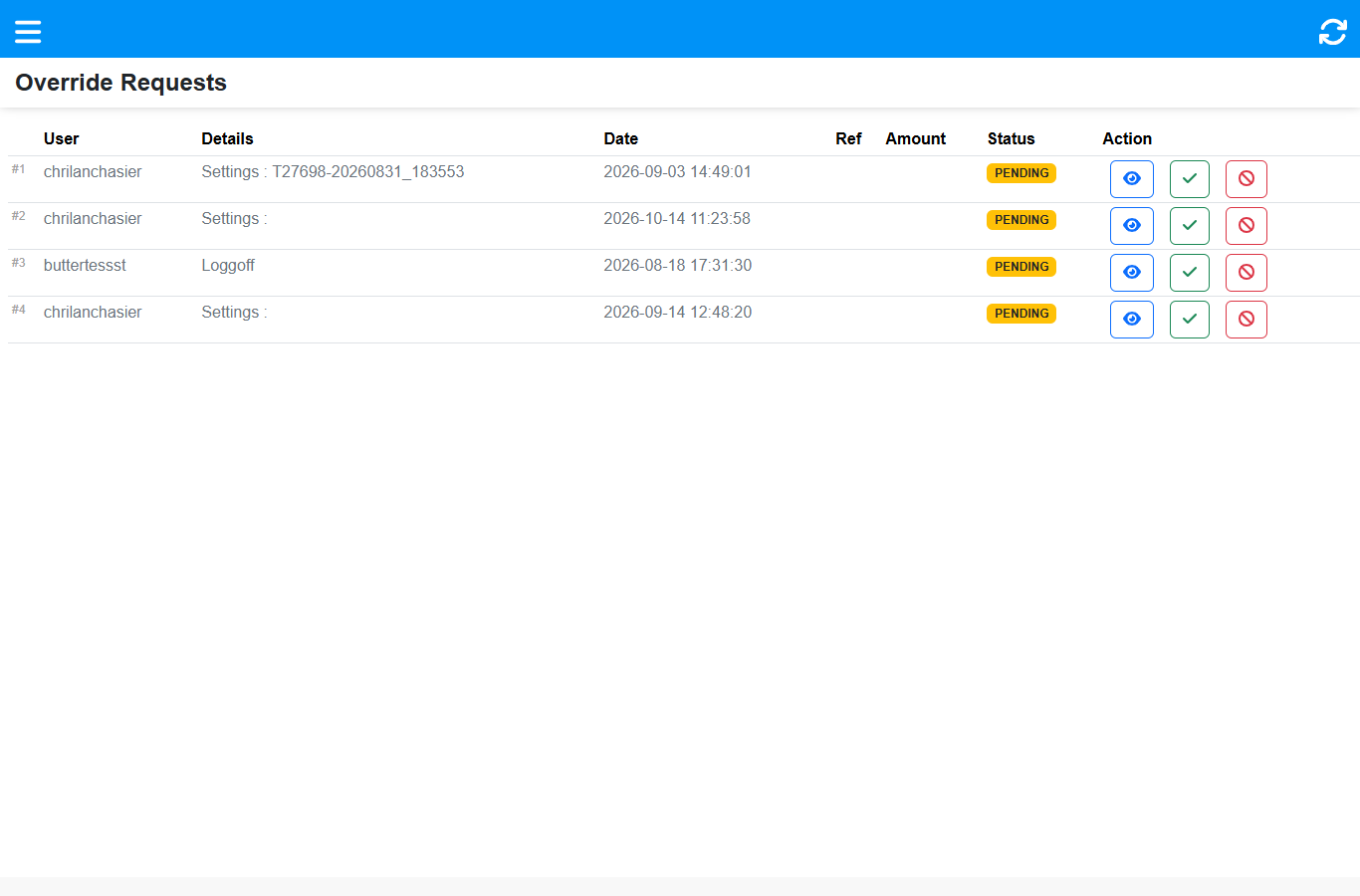 Each row is one request: who asked, what for, when, and its status. The three buttons are view, approve and decline.
The Override Requests list
The app's main screen. Each row is a pending request with:
| Column | What it tells you |
|---|---|
| User | Who is waiting at the till |
| Details | What they need — a refund, a price change, a settings change, a log-out |
| Date | When the request was raised |
| Ref | The related reference (invoice, quote, transfer), when there is one |
| Amount | The value, for money requests |
| Status | PENDING until you act on it |
| Action | 👁 view · ✓ approve · 🚫 decline |
A bell rings when a new request arrives, so you can approve with the phone in your pocket.
Approve a request
- Find the request in the list.
- Tap view (👁) to check the details before you decide — who wants it, what for, and how much.
- Tap approve (✓) on the row, or Approve inside the detail box.
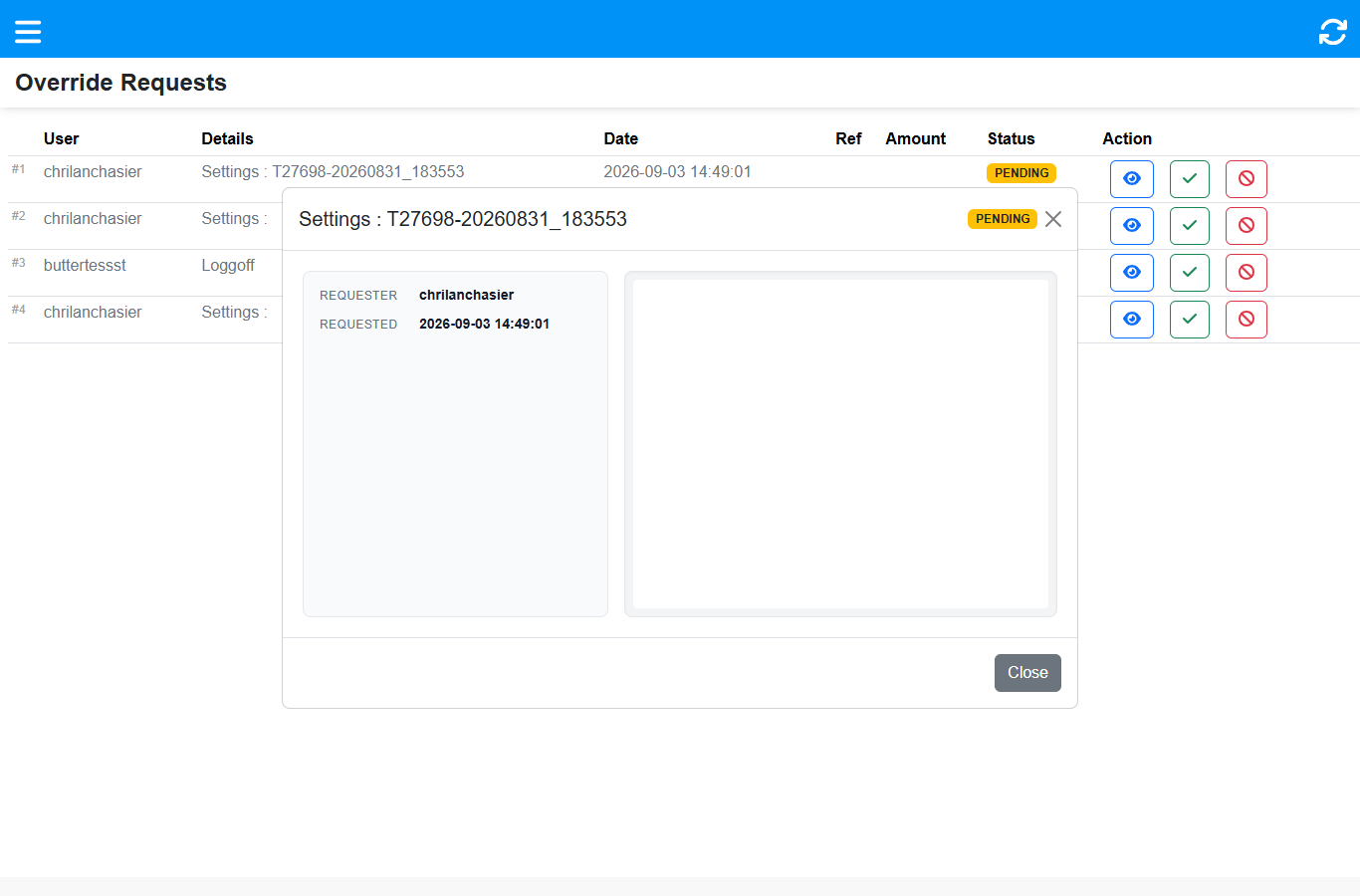 The detail box shows the requested action, who asked and when, with View / Approve / Decline.
The cashier's till unblocks straight away and the approval is recorded against you.
Decline a request
Tap decline (🚫) on the row, or Decline in the detail box. The till stays blocked — the cashier is told the request was declined and can ask a supervisor in person.
Expected result
Each request leaves the list as approved or declined, the waiting cashier's till continues (or does not), and the decision is traceable.
Edge cases
- The detail box looks empty for some requests. Some request types (for example a Settings change) carry no extra detail — the requester, the type and the date are all there is.
- A request has been PENDING for weeks. Nothing expires on its own. If it is no longer needed, decline it so the list stays honest.
- The request is not for your store. This device only shows its own store — check with the supervisor on that store.
- You approve the wrong thing. Approvals are recorded. If it was a mistake, tell your franchise owner so it can be reversed through the back office.
Related
- Supervisor App — approve overrides from anywhere
- Till roles and screen access (why the cashier is blocked)
- Support & escalation