
Appearance
Layby, loyalty and accounts (Retail POS App)
Goal
Sell on layby, look up loyalty customers and their points, and attach or create credit-account (debtor) customers — all from the till.
Sales On LayBy
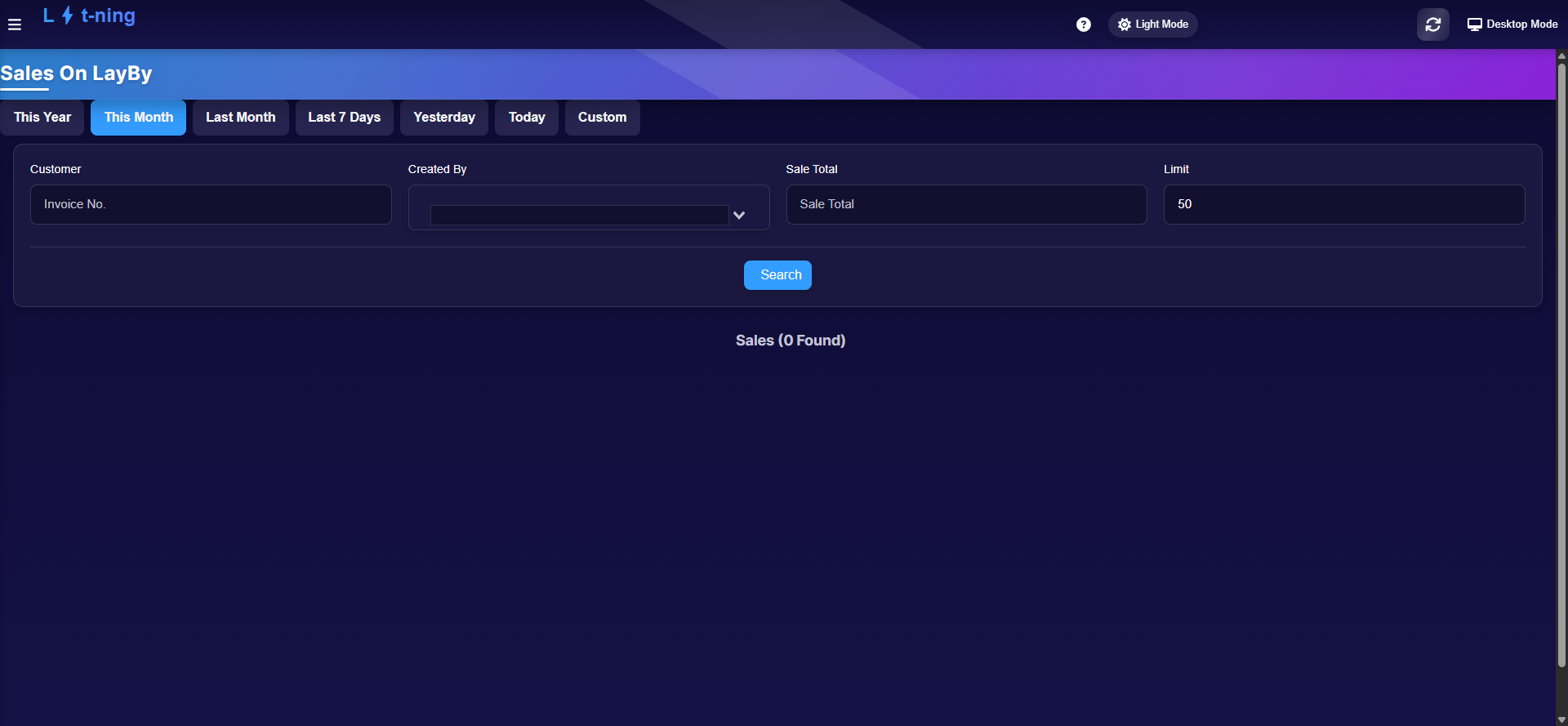 Layby sales listed with date tabs and filters; take payments against any of them.
- The Sales On LayBy menu appears only when your store has layby switched on (a store setting). If you do not see it, ask your franchise owner — the route still exists, but the store decides.
- Filter by date tabs (This Year / This Month / Last 7 Days / Yesterday / Today / Custom), customer, who created it, or sale total, then Search.
- Open a layby to take a deposit or part-payment — including by Kazang where registered — until it is fully paid off.
Loyalty Customers
 Search loyalty customers by name and see their card number and point balance — customer details are hidden in this example.
- Open the menu and click Loyalty Customers. Search by customer name; each card shows the card number, total points, and their cash value.
- Points are earned and spent on the Sales screen — the heart icon appears there when loyalty is active for the store.
- The menu only appears for stores registered on the loyalty service.
Account (debtor) customers
For customers who buy on account and pay later:
- On the Sales screen, choose Select Customer to attach a credit-account customer to the sale.
- If they do not exist yet, click Create Debtor and fill in the form:
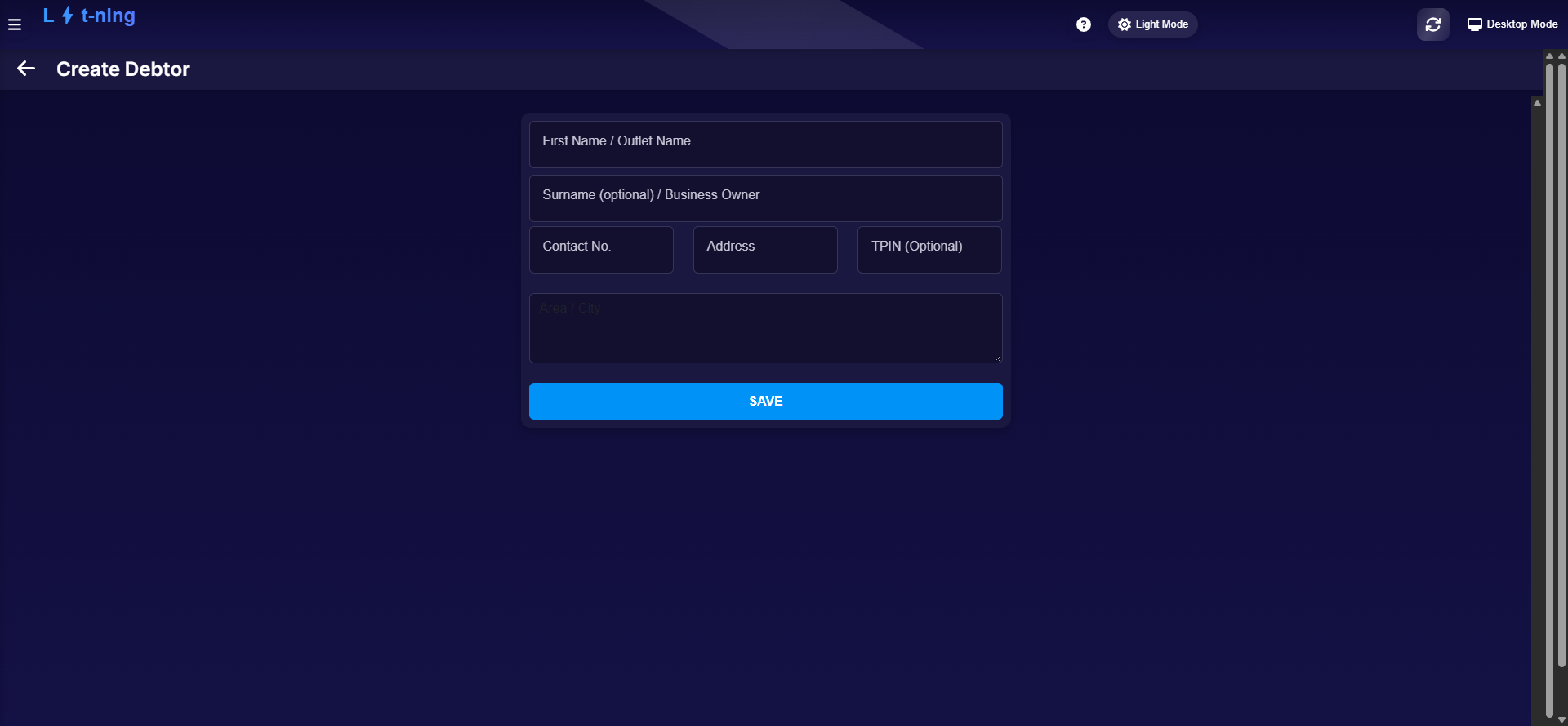 Only a name and contact number are required — TPIN is optional unless the customer needs tax invoices in their name.
| Field | Required | Notes |
|---|---|---|
| First Name / Outlet Name | ✔ | A person or a business outlet |
| Surname / Business Owner | — | For people, or who owns the outlet |
| Contact No. | ✔ | Phone number |
| Address | — | |
| TPIN | — | Needed for tax invoices in the customer's name |
- Click SAVE. The customer is attached to the sale and available to every till in the store.
Expected result
Layby sales show their balance and take payments; loyalty customers' points match their card history; account sales carry the right debtor and appear in the back office for follow-up.
Edge cases
- No Sales On LayBy or Loyalty menu. Store-level settings, not a fault — the franchise owner controls both.
- "0 Found" on layby. The filters may be too narrow — widen the date tab, or there genuinely are no layby sales in the period.
- Customer will not load on a sale. Check the network, then retry — customer lookups need the server.
- A debtor was created with the wrong name. Do not create a second one — ask the franchise owner to fix it in the back office so the history stays in one account.
- Privacy on screen. Customer contact details should never be left visible on a till screen or shared in screenshots — hide them before sending anything to Support.