
Appearance
Work the orders board (KDS)
Goal
Read the board at a glance, work every ticket, and mark each order collected so the floor knows it is ready.
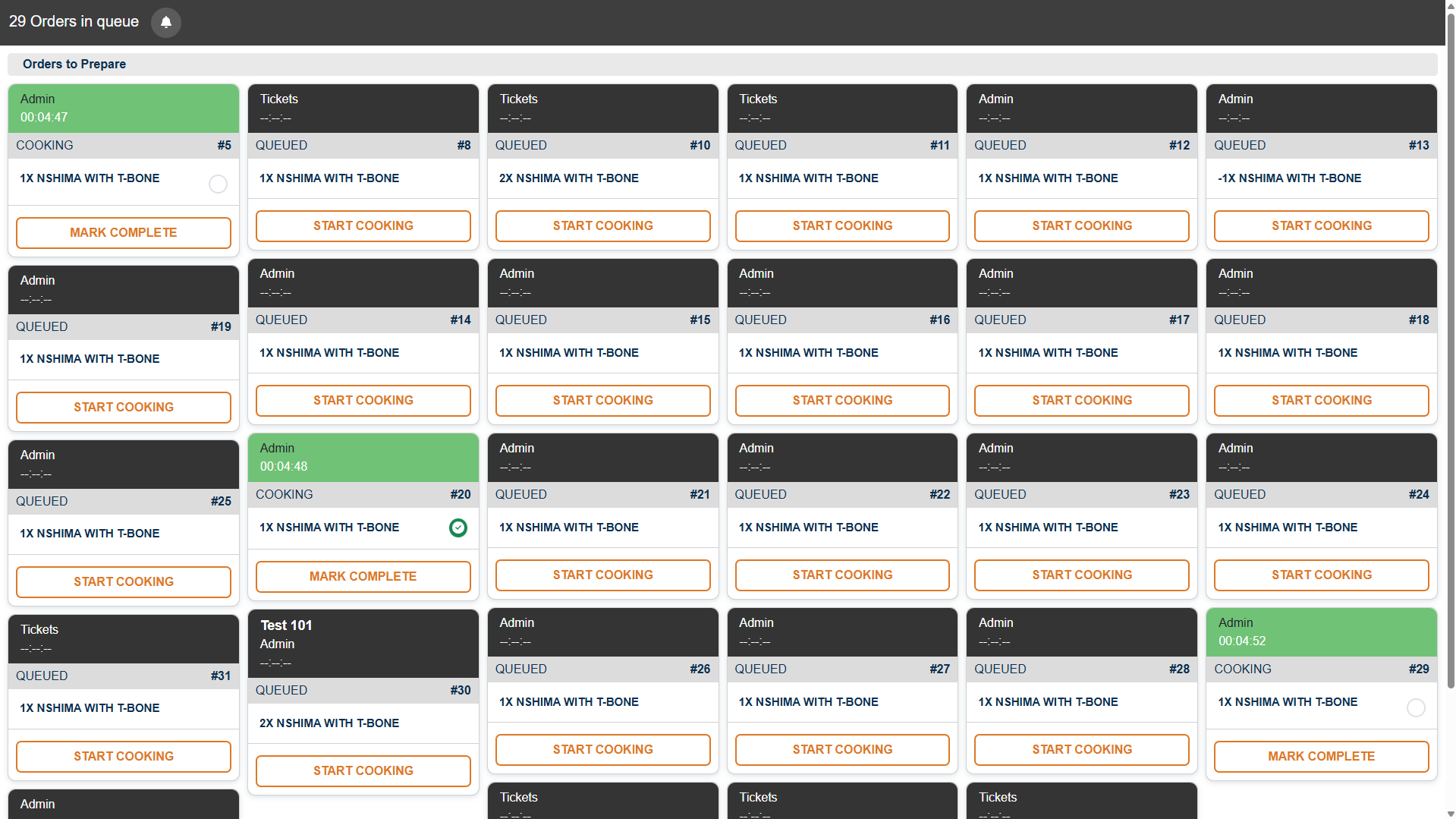 Live board: 29 tickets in the queue, each with its number, requester, items and age. Green cards are cooking.
The board
The board has two parts:
- Orders in queue — everything saved by the floor that is not yet started.
- Orders to Prepare — what your station is working now.
Each order is a card, big enough to read from the pass, carrying the table, the items, any cooking instructions the waiter entered (for example "no onions", "well done"), and how long it has been waiting. Status is shown by colour, so an ageing ticket stands out across the room.
The layout is deliberately glove-friendly: large touch targets, big type, and timings you can read from a distance.
Working a ticket
New tickets arrive QUEUED with a ticket number and the requester's name.
- Press START COOKING when your station starts the dish - the card turns green, moves to COOKING, and the timer runs.
- When the food goes out, press MARK COMPLETE.
When the order is ready
A completed order leaves your station's board and shows as ready on the waiter's till - including who prepared it and from which station. The waiter collects it for the table.
If a ticket is not actually done, do not mark it complete - the floor will send a waiter for food that is not ready.## Expected result
Every ticket leaves the board via Collect Order, and the floor can see the order is ready and who made it.
Edge cases
- A ticket has been waiting a long time. Its colour/timing is telling you it needs attention now — call it out to the pass.
- An order you did not expect. It was saved by the waiter for your station; check the table and items on the card.
- You collected the wrong order. Tell the supervisor straight away — the floor will have been told it is ready.
- The board is empty at peak time. Waiters may not be pressing Save Table — check with the floor.