
Appearance
ZRA Smart Invoice (Zambia fiscal receipts)
Use this page when you need to know whether a printed till receipt is a valid ZRA Smart Invoice receipt, when Smart Invoice applies to your store, and what the Wiki will and will not promise about VAT input claims.
Goal
You need to confirm that a printed till receipt is a valid ZRA Smart Invoice receipt — and to know what to do when Smart Invoice is not connected, the receipt is missing, or the customer asks about VAT input claims.
Where this happens
- In the back office (Core App): System & Settings → Till & Payments → Smart Invoicing is where the franchise admin connects Smart Invoice and checks its status.
- At the till: Smart Invoice runs automatically — every sale produces a Smart Invoice receipt with a QR code and a Mark ID printed on it.
Smart Invoice is the Zambia Revenue Authority's (ZRA) mandatory electronic-fiscal-receipt system for VAT-registered taxpayers. The Lyt-ning Wiki is not a ZRA document — confirm any tax decision with your accountant or with ZRA.
Prerequisites
- Your store is VAT-registered (or the Smart Invoice integration has been turned on by the franchise admin).
- The Smart Invoice integration is connected and active under System & Settings → Till & Payments → Smart Invoicing.
- You can see the till receipt with the QR code and Mark ID.
What the Wiki will — and will not — promise
The Wiki teaches you how to check that Smart Invoice has produced a receipt. It does not promise tax outcomes.
- The Wiki will tell you what to look for on a receipt (QR code + Mark ID).
- The Wiki will not say whether a particular receipt is valid for VAT input claims. That is ZRA's call.
- The Wiki will not guarantee any specific VAT treatment for a transaction.
Confirm with your accountant or ZRA before filing anything based on this page.
Smart Invoice at a glance (Zambia)
- Mandatory for VAT-registered taxpayers since 1 July 2024.
- VAT input claims require Smart Invoice-generated receipts from 1 January 2026. Confirm the current rule with ZRA — it can change.
- The till prints a Smart Invoice receipt with a QR code and a Mark ID for every sale.
- A sale without a Smart Invoice receipt is missing a fiscal document and should be investigated.
Steps
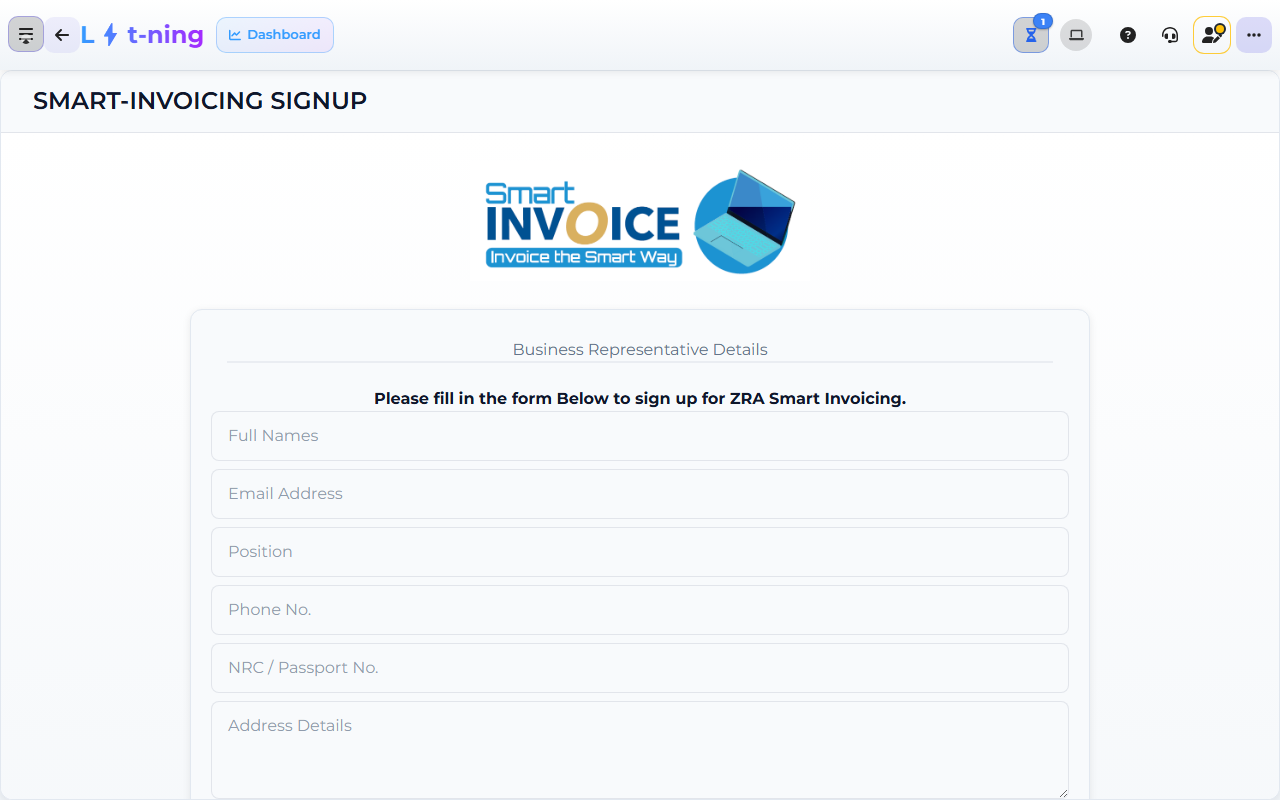
The image shows the Core App Smart Invoicing screen. Screens may differ slightly by version.
— check a Smart Invoice receipt
- Take the printed receipt from the till.
- Look for two things on the receipt:
- QR code — usually near the receipt footer or next to the totals.
- Mark ID — a short reference number printed with the QR code.
- Both the QR code and the Mark ID must be present. If either is missing, the receipt is not a Smart Invoice receipt.
If the receipt does not have a QR code and a Mark ID, do not file it for VAT — escalate to your supervisor.
Steps — what to do when Smart Invoice is not connected
- Open System & Settings → Till & Payments → Smart Invoicing in the Core App.
- Check the connection status. If it shows Disconnected or Error, the integration is not active.
- If the dashboard banner Smart Invoice Sign up Pending is visible, the franchise has not completed sign-up.
- Tell your supervisor or franchise admin — they complete the sign-up or contact Support.
Do not sell without a working Smart Invoice connection — every sale in Zambia needs a Smart Invoice receipt. The till will refuse to complete the sale if the connection is required and missing.
Steps — when a receipt does not have a QR code or Mark ID
- Check whether the till is offline — offline sales produce a Smart Invoice receipt as soon as the connection returns. See Working offline.
- If the till is online and the receipt is missing the QR code or Mark ID, escalate to your supervisor and tell them the till, the time, and the receipt number.
- Do not delete or void the sale — the till needs to push the Smart Invoice once the connection is restored.
What customers will ask (and the safe answer)
Customers may ask:
- "Can I claim this on my VAT input?" — the safe answer is: "This receipt is a Smart Invoice receipt (QR + Mark ID). Please confirm with your accountant or with ZRA whether it qualifies for your VAT input claim."
- "Why is there a QR code on my receipt?" — explain that Smart Invoice is ZRA's mandatory electronic-fiscal-receipt system and that the QR + Mark ID is what makes the receipt a fiscal receipt.
- "Can I get a copy?" — yes; the till can reprint a receipt. The reprint has the same QR code and Mark ID.
Edge cases
- The till is offline. Sales still complete and the Smart Invoice receipt is queued — it pushes to ZRA as soon as the connection returns. See Working offline.
- The QR code is faint or missing on the printout. Check the printer (ribbon, paper, print density). If the printer is fine, escalate to your supervisor.
- The Mark ID does not match the till reference. Tell your supervisor — there may be a sync issue between the till and the Smart Invoice service.
- A customer asks for a Smart Invoice receipt for a refund or void. Yes — the till produces a Smart Invoice receipt for the credit note too. Keep the original receipt and the credit-note receipt together.
- You need ZRA's contact for a dispute. Use ZRA's official contact channels — the Wiki does not list them. The ZRA Smart Invoice screen in the Core App has a help link.