
Appearance
Supervisor report (Analytics)
Goal
Audit every override a cashier or supervisor made on the tills — voids, refunds, discounts, price changes — and see the operational exceptions (sold below cost, stock-take variances, un-cashed-up sales, open tables).
The Supervisor Report section in the drawer is the audit hub. Use it to find patterns, coach, and spot loss.
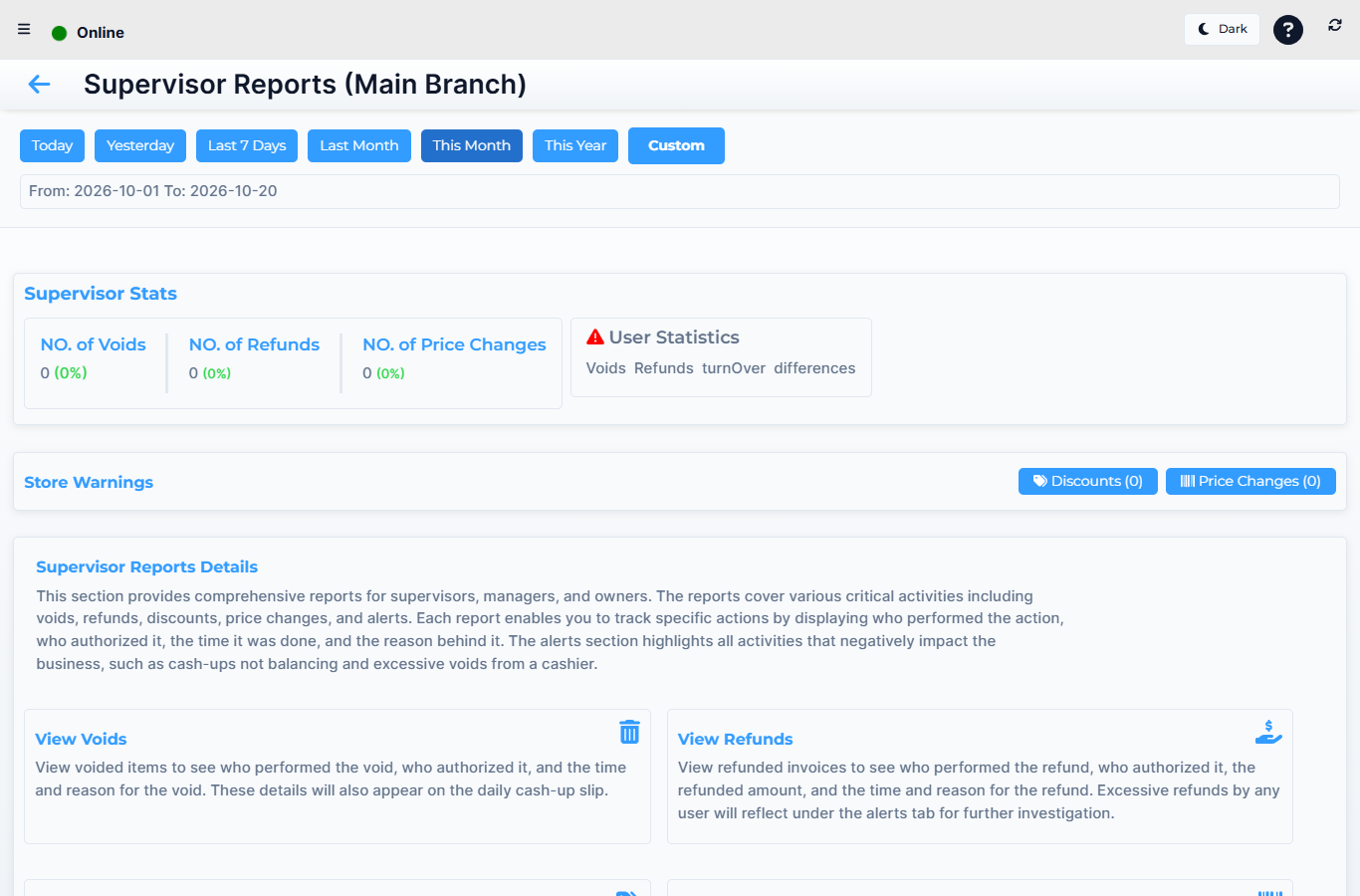 Lytning Analytics v2.2.6 at https://analytics.pos.co.zm/dashboard, captured 2026-10-19. See the evidence doc for the full route inventory.
Where this happens
Open the menu and click Supervisor Report. You land on the Supervisor Dashboard — the audit home for the chosen period.
The reports
| Group | Route | What it shows |
|---|---|---|
| Dashboard | Supervisor Dashboard | The audit home — counts of voids, refunds, discounts, price changes, and the top users for each, for the period |
| Supervisor Reports Details | The detail behind a single audit category — click a number on the dashboard to land here | |
| Overrides | Voids | Every line that was voided at a till — who, when, the original line and the reason |
| Refunds | Every refund — link to the source invoice, the refund reason, the cashier who approved | |
| Discounts | Every discount applied at a till — line, percentage, the cashier, the supervisor who approved if a PIN was used | |
| Price Changes | Every unit-price override at a till — what it was, what it became, who, when | |
| Operational audit | Incoming Stock | Every inter-store stock transfer received in the period, with the receiving cashier and any discrepancies |
| Open Tables / Quotes | Restaurant tables and retail quotations that are still open at end-of-day — the un-closed-tables view | |
| Stock Take Variances | A roll-up of every stock take's variance across the franchise — the loss-per-store view | |
| Un-Cashed-Up | Sales that have been completed at a till but have not yet been cashed up — the end-of-day exception list | |
| Margin | Sold Below Cost | Every line that was sold for less than its cost — the margin-alert report for the franchise owner |
| Cash | Payouts (supervisor) | Every payout, drilled from the supervisor IA — who, when, how much, the linked expense |
How to read a supervisor report
- On the Supervisor Dashboard, pick the store (or "All") and the date range.
- Read the top tiles — these are the "things to look at" totals for the period.
- Click a tile to drill into the lines behind it.
- Group by user to find patterns, or group by day to find spikes.
- Export the lines as PDF or Excel for a coaching or investigation record.
Expected result
Every override is on record against the cashier and (where required) the supervisor who approved it. You can answer "who is voiding the most in Lusaka", "where are we selling below cost", and "how many tables were left open last Friday" from one section.
Edge cases
- A void or refund has no supervisor recorded. Either no supervisor approval was needed (your franchise's policy), or the till couldn't reach the supervisor prompt (e.g., network issue). Cross-check with the cashier and the till's Offline Invoices if relevant.
- Sold Below Cost shows a large total. Discounts on the till or supplier price increases not yet updated in stock cost are the usual causes. Drill into a few lines before acting.
- Open Tables / Quotes is large on a Monday morning. Friday and Saturday nights often leave tables open. Drill in to see which ones are stale.
- The report shows the cashier but not the supervisor. Approvals are tied to the supervisor's sign-in, not the cashier's. If the supervisor is missing, the action was self-approved or the policy allows it without approval.