
Appearance
Finance and VAT reports (Analytics)
Goal
Run the franchise's P&L, expenses, payouts, safes, ledgers, and VAT from one section.
The Finance Reports section in the drawer is the single entry point. It opens either the Finance Dashboard (when "All" is selected) or the store-specific finance report (when one store is selected). VAT Reports is its own drawer item and lives just below Finance.
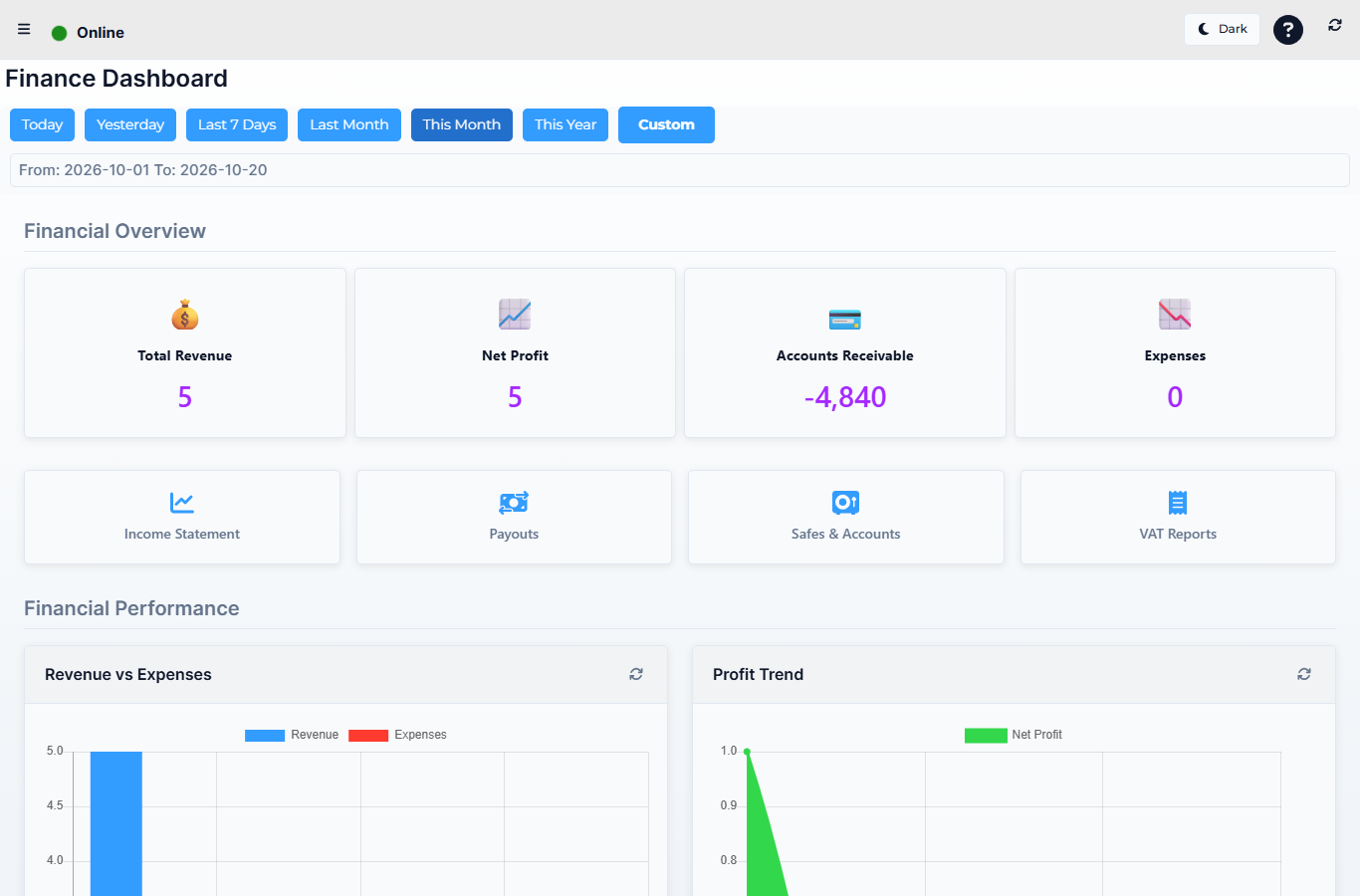 Lytning Analytics v2.2.6 at https://analytics.pos.co.zm/dashboard, captured 2026-10-19. See the evidence doc for the full route inventory.
Where this happens
Open the menu and click Finance Reports. The behaviour depends on the store selector:
- Store = "All" → opens the Finance Dashboard (franchise-wide roll-up).
- Store = a specific store → opens finance (that store's report).
For VAT, click VAT Reports in the drawer.
The reports behind Finance Reports
| Group | Route | What it shows |
|---|---|---|
| Dashboard | Finance Dashboard | The franchise-wide roll-up when "All" is selected — total revenue, expenses, payouts, net |
| finance | The per-store report when a specific store is selected — the same line items, but for one store | |
| Expenses | View Expenses | Every expense in the period, grouped by category, with vendor, date, and the user who logged it |
| View Expenses Dashboard | A chart-and-tile view of the same expenses — totals, top categories, month-on-month trend | |
| Payouts & safes | All Payouts | Every payout across the franchise in the period — who, when, how much, the linked expense or transfer |
| Money Movement Reports | Money in and money out of every safe and account — the cash-flow-at-the-till view | |
| View Safes | Current safe balances, the last cashup, and the safe's history per store | |
| Ledgers & returns | View Ledgers | The accounting ledgers — every journal entry grouped by ledger, drillable to the source line |
| View Returns | Every return / credit note in the period — what was returned, to whom, why, and the linked original invoice | |
| Statements | Income Statement | The P&L for the period — revenue, cost of sales, expenses, gross and net profit |
| View Income Account (detail from Income Statement) | A single income-account drilldown — every line that posted to that account | |
| Cash Flow Statement | The cash-flow for the period — operating, investing, financing movements and the net change in cash | |
| View Cash Flow Details (detail from Cash Flow Statement) | A single cash-flow line drilldown — every line that contributed to that bucket |
VAT Reports
A separate drawer item, just below Finance Reports.
| Route | What it shows |
|---|---|
| VAT Reports | The VAT return for the period — output VAT, input VAT, the net payable/refundable, drillable to the underlying invoices and expenses |
How to read a finance report
- Pick "All" for a franchise view, or a specific store for a single-store view (this choice is sticky across Finance screens).
- Pick the date range — most reports default to the current month; widen it for trends.
- Read the summary cards at the top, then the lines.
- Click any line to drill to the source invoices, expenses, or ledgers.
- Export to PDF for your records or your accountant.
Expected result
You can produce a P&L, a cash-flow, and a VAT return for any period and any store combination, with one click to drill to the underlying line.
Edge cases
- The Finance Dashboard and the per-store
financereport look different. That is by design: the dashboard is the franchise roll-up; the store report is the line-level detail for one store. Pick the one that matches the question. - A revenue line is missing. Check that all the relevant tills' sales are synced (see Working offline). Uncashed-up sales will not appear in finance until the cashup closes.
- VAT does not balance to the invoices. VAT is computed on the cashup's effective date, not the invoice date. A sale on the last day of the month cashed up the next day will appear in next month's VAT.
- A ledger account shows nothing. The account may not be used at this store, or the period predates the account — pick a wider period or check the back office.