
Appearance
Supervisor App — approve overrides from anywhere
Goal
Understand what the Supervisor App is for, and how it connects to the supervisor-approval box your cashier sees at the till.
Supervisor App is Lyt-ning's real-time override manager. When a member of staff needs permission for something their role does not allow — a refund, a void, a discount, a price change — the request can come to you, on your phone, instead of you having to stand at the till.
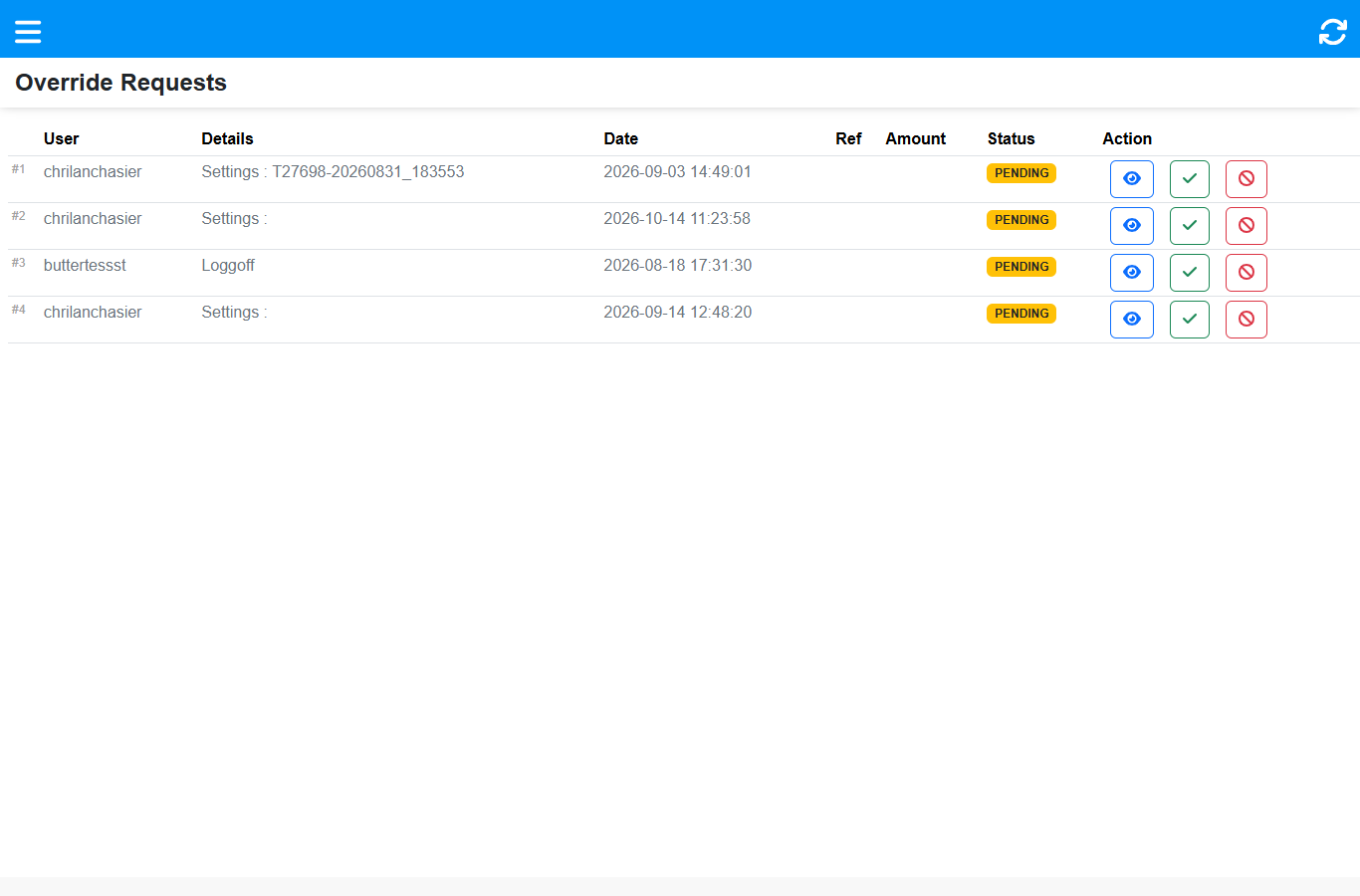 Every pending override for your store, with view / approve / decline on each row.
How it connects to the till
- At the till, a cashier hits an action their role is not allowed — say a Refund. The till shows Supervisor Approval Required and offers two ways forward: a supervisor's password typed on the till, or approval from elsewhere.
- If you have the Supervisor App open on your phone, the request appears on your Override Requests list within seconds (the app listens on a live connection to the store).
- You tap approve. The till continues automatically.
- Every approval is recorded against you — approver, requester, and what was approved.
So when the till roles page says a blocked action can be approved "from the back office", this app is that channel — and the fastest one.
What you can approve
Not only money actions. The live list shows requests of several types — refunds and price changes, but also Settings changes and Log out approvals. Anything that stops a cashier with a "Supervisor Approval Required" box can arrive here.
The menu
Small and focused — the app does one job:
| Screen | What it is for |
|---|---|
| Override Requests | The live list — the app's main screen |
| Sign out | End your session |
Expected result
A supervisor can clear a blocked till action in seconds from anywhere, and every decision is traceable to them.
Edge cases
- You cannot see a request for another store. Each device monitors one store. Use Change Store on the sign-in screen to switch.
- A request is weeks old. Requests do not expire on their own — they stay PENDING until someone actions them. Work the list, not just the newest row.
- You did not hear the bell. Sound alerts only fire while the app is open. Open Override Requests to see anything that arrived while the phone was away.
- You cannot approve a request yourself asked for. Approvals are meant to be a second pair of eyes; ask another supervisor.
Related
- Sign in to the Supervisor App
- Approve or decline an override
- Till roles and screen access (the till side of the same flow)